


money counting machine
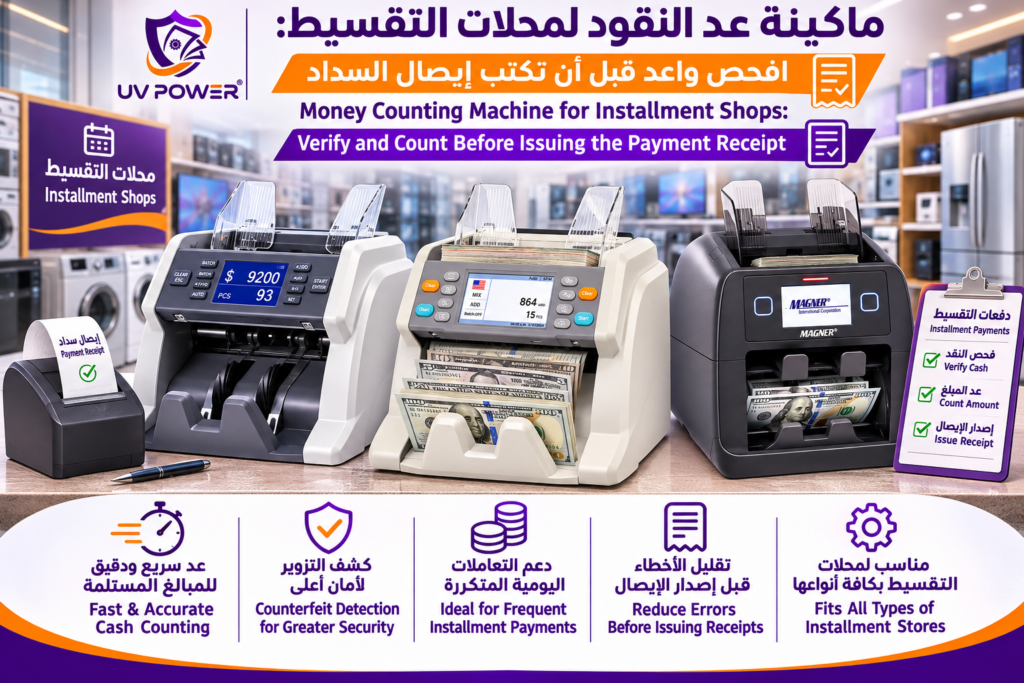
Money Counter for Instalment Shops: Check and Count Before You Write the Payment Receipt
Nov
In an instalment shop, collection day looks different from a sales day. At the start of the month customers come one after another to pay their instalment: one pays in full, another pays part, a third settles two overdue instalments at once. Every customer wants a receipt, and every amount must be recorded accurately on their account. The collection clerk counts the notes in front of the customer, writes the receipt, puts the cash in the drawer, and then serves the next customer.
In this trade, a counting error is not just a difference in the drawer. It is an error in a customer's account: an instalment recorded as more or less than was paid, or a counterfeit note accepted as part of an instalment with a payment receipt issued against it. This article is for instalment shop owners and collection managers, and focuses on one specific aspect: how to count, check and document cash instalments accurately, and which devices help. It does not cover any legal or regulatory aspect of the instalment business itself.
The short answer: an instalment shop needs to check notes before issuing the payment receipt, to count every instalment in front of the customer with a clear figure, and to keep a record linking the amount counted to the customer. A money counter with detection sensors, plus a printer or documentation software, covers these needs.
Why is instalment cash different from sales cash?
| Aspect | Regular shop | Instalment shop |
|---|---|---|
| What the cash pays for | Goods handed over now | An instalment recorded on a customer's account |
| Effect of a counting error | A difference in the day's drawer | An error in a customer's balance that may last months |
| Effect of a counterfeit note | Loss of goods or change | A payment receipt issued for money not actually received |
| What the customer needs | Change | A receipt with an exact figure |
| What the accountant needs | The day's total | A breakdown of each instalment linked to the customer |
The third row is the heart of the matter. If a counterfeit note is accepted as part of an instalment and a payment receipt is issued, the customer's balance is reduced by money that was never really received. Discovering this later means either the shop absorbs the loss, or it has to claim from a customer who already holds an official receipt. Both options are difficult.
Where do errors happen?
Counting in front of the customer under pressure
The customer is waiting, with others behind. The clerk counts the notes by hand quickly and may miscount a bundle or count a note twice.
Large overdue payments
When a customer settles several overdue instalments at once, they often come with large notes and a bigger amount than usual. That is exactly the moment that deserves the most careful count and check.
Closing and reconciliation
At the end of the day, the cash in the drawer should equal the total of receipts issued. If there is a difference, finding it among dozens of receipts is hard unless each instalment has a count record.
The right procedure: check, then count, then issue the receipt
The order matters here:
- Check large notes before anything else.
- Count the amount in front of the customer with a figure both sides can see.
- Issue the receipt for the counted figure, not the figure the customer quoted.
- Keep the count record with the receipt number or the customer's name.
Issuing the receipt before counting and checking is the root of most problems.
Which devices are right?
For checking at the collection window
U-P10 counterfeit detector checks the note with a 16W UV lamp and a magnetic sensor, with a magnifier for fine security features and a two-year warranty direct from UV Power. Especially useful when a customer brings a few large notes.
For counting in front of the customer: a mid-sized shop
A mixed denomination counter counts the amount in seconds and shows the total, checking notes with its sensors during counting before the receipt is issued. That matters in the instalment trade in particular: a rejected note shows up before the customer leaves, not after.
U-P500 counts mixed denominations and gives the count of each denomination and the total, checking with dual CIS, IR, MG, MT and UV sensors, with a colour touchscreen and a 3-year warranty direct from UV Power. With the external display compatible with it, the count and value are shown directly to the customer, so they see the figure that will go on their receipt.
And if the shop only receives Saudi riyals, the Lite counts L1 offers mixed counting with CIS, IR, MG, MT and UV sensors and a colour touchscreen, with a two-year warranty, and according to its product page it is also compatible with the external display.
For a shop with several collection clerks or branches
If collection happens at several windows and is then gathered in the accountant's office, the U-P2000 suits the office: it counts mixed denominations, sends rejected notes to a separate pocket and keeps counting, with a 3-year warranty.
For documentation: linking the amount to the customer
This is where an instalment shop really gains:
- the report printer is compatible with U-P500, U-P2000 and L1 and prints the note count, denominations and total value for each count. The slip can be attached to the copy of the receipt in the customer's file.
- Counting Management Software compatible with U-P500 and U-P2000 saves the results of every count and the serial numbers of the notes, and exports reports in PDF and Excel. If a suspect note turns up later at deposit, you can go back to the count records to see which transaction it passed through.
Which serial numbers the counter records, and for which currencies, is explained in Banknote serial number reading.
Quick comparison
| Need | Machine |
|---|---|
| Checking large notes before the receipt | U-P10 |
| Counting the instalment in front of the customer with a visible figure | U-P500 or Lite counts L1 with the external display |
| Gathering the cash of several clerks | U-P2000 |
| A count slip attached to the customer's file | the report printer |
| A searchable digital record | Counting Management Software |
Objections from shop owners
“My customers are known to me and I don't doubt them”
It is not about trusting the customer. The customer may have received the counterfeit note elsewhere without knowing. Checking before the receipt protects them and you, and avoids an awkward situation later.
“Counting by hand in front of the customer is enough”
It is when the amount is small and there is time. With large payments and a queue, counting on a machine is faster and more accurate, and the external display ends any argument about the figure.
“Does the counter detect every counterfeit note?”
No device guarantees that. A counter checks with its specific sensors and rejects what does not match, and checking with a standalone detector is an extra line. Protection comes from combining the tool with the procedure.
Frequently asked questions
What is the best money counter for instalment shops?
The U-P500 with the external display for counting in front of the customer, or the Lite counts L1 if the shop deals only in riyals. Add a U-P10 for large notes.
How do I document each cash instalment?
Count the instalment on the counter, print the result on the report printer or save it in the counting management software, and attach it to the receipt number.
Why check before issuing the receipt and not after?
Because the receipt proves payment. If it is issued against a counterfeit note, correcting the customer's account later is difficult.
Do I need a two-pocket counter?
If the accountant's office gathers the cash of several clerks every day, the U-P2000 saves time because it does not stop at every rejected note. A single collection window is fine with a single-pocket counter.
What warranty applies?
The U-P500 and U-P2000 carry a 3-year warranty, and the Lite counts L1 and U-P10 two years, direct from UV Power according to the product pages.
Bottom line: the receipt is written for what was counted and checked
In the instalment trade, every riyal is tied to a customer's account. So the right order is: check, then count in front of the customer, then receipt, then record.
- Checking before the receipt: U-P10 counterfeit detector.
- Counting in front of the customer: U-P500 or Lite counts L1 with the external display.
- Office gathering several clerks' cash: U-P2000.
- Documentation: the report printer or Counting Management Software.
Message us on WhatsApp with the number of collection windows in your shop, and we will recommend the right setup.
